Current Projects - Island Generator
As mentioned in my previous blog post from June 16, I am in the process of creating two separate independent projects. This page will concentrate on the heightfield island project. To achieve this, I have been following a series of videos on Gumroad by Adrien Lambert. A link to the set of tutorials can be found in the link below. Certain adjustments have been made in correlation to ease of use. There are still more that will need to be added to the project.
https://gumroad.com/adrienlambert?recommended_by=library
The entirety of this process uses a procedural setup that allows the user to adjust any properties throughout the entirety of the project. The only area in which this workflow is altered is when the geometry is cached. Otherwise known as the "filecache" node, this node serves as a checkpoint for the procedural web. As such, this allows for a faster output at a desired point of the process.
What is a Heightfield?
Heightfields themselves can be studied over the course of a life, but in short they are 3D representations of a 2D black and white gradient. This project differs from previous ones that I have worked on because it uses the heightfield as merely the first pass of details on the final geometry. Previously, I had solely used the heightfield workflow in order to achieve the final look, but found that this had certain limitations. Achieving the right amount of detail tends to be a slow and tedious process when working only with hieghtfields. This tutorial series taught me how to use a similar workflow, but with polygonal meshes.
Generating a Custom Mask
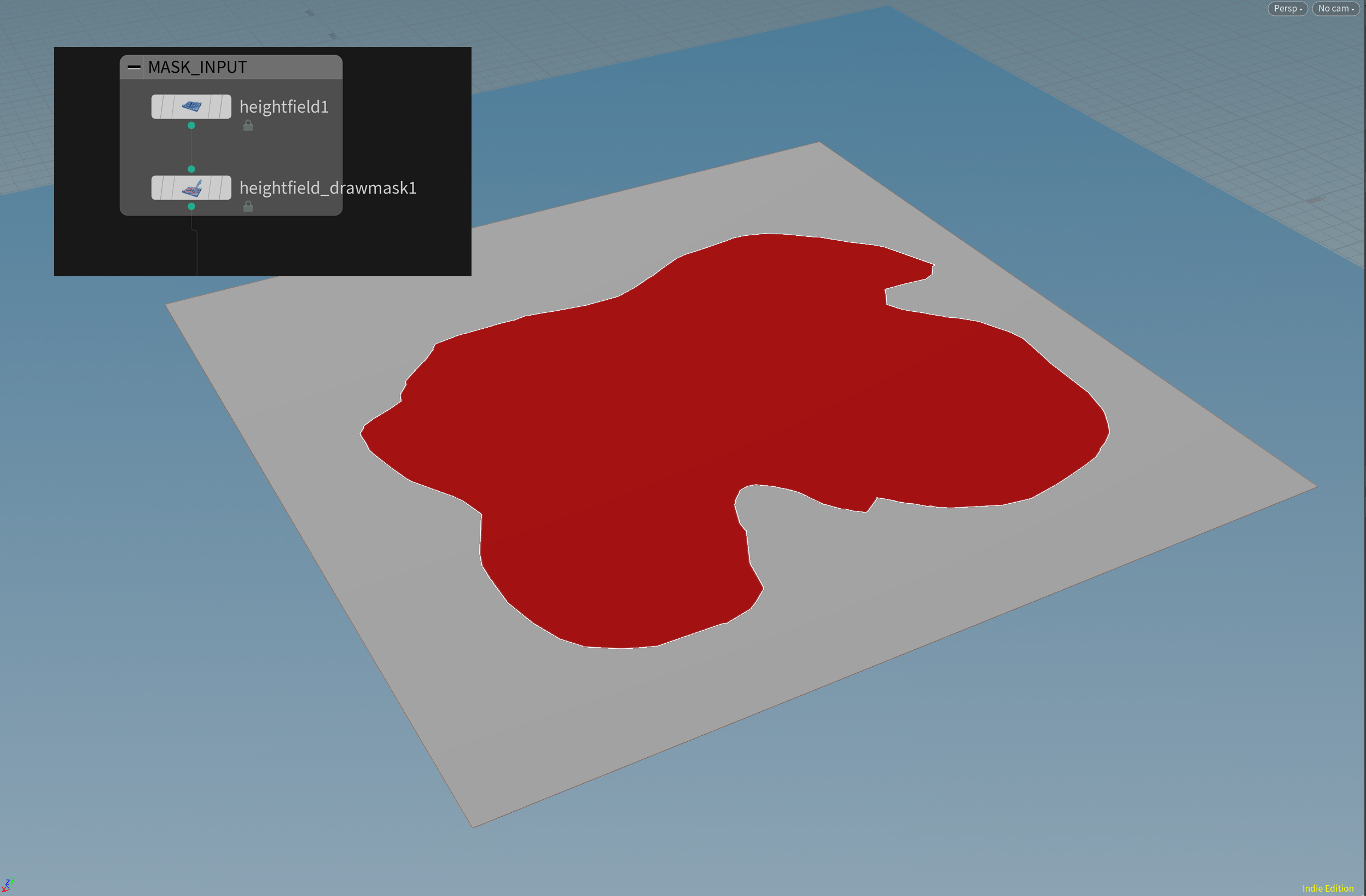
Because of Houdini's procedural workflow, one is capable of drawing a custom shape (see picture above) that they wish through application of the "heightfield_drawmask" node. This base spline is what is currently being used for within the workflow. The final result may have a slightly different shape than what is currently seen. This shape serves as the basis for which the entire project will run. There might end up being more smaller islands that will be arbitrarily dispersed onto the final scene.
The first step to achieving this new workflow is converting the heightfield into polygons.
Polygon Heightfield to Volume (VDB) to Polygon Heightfield
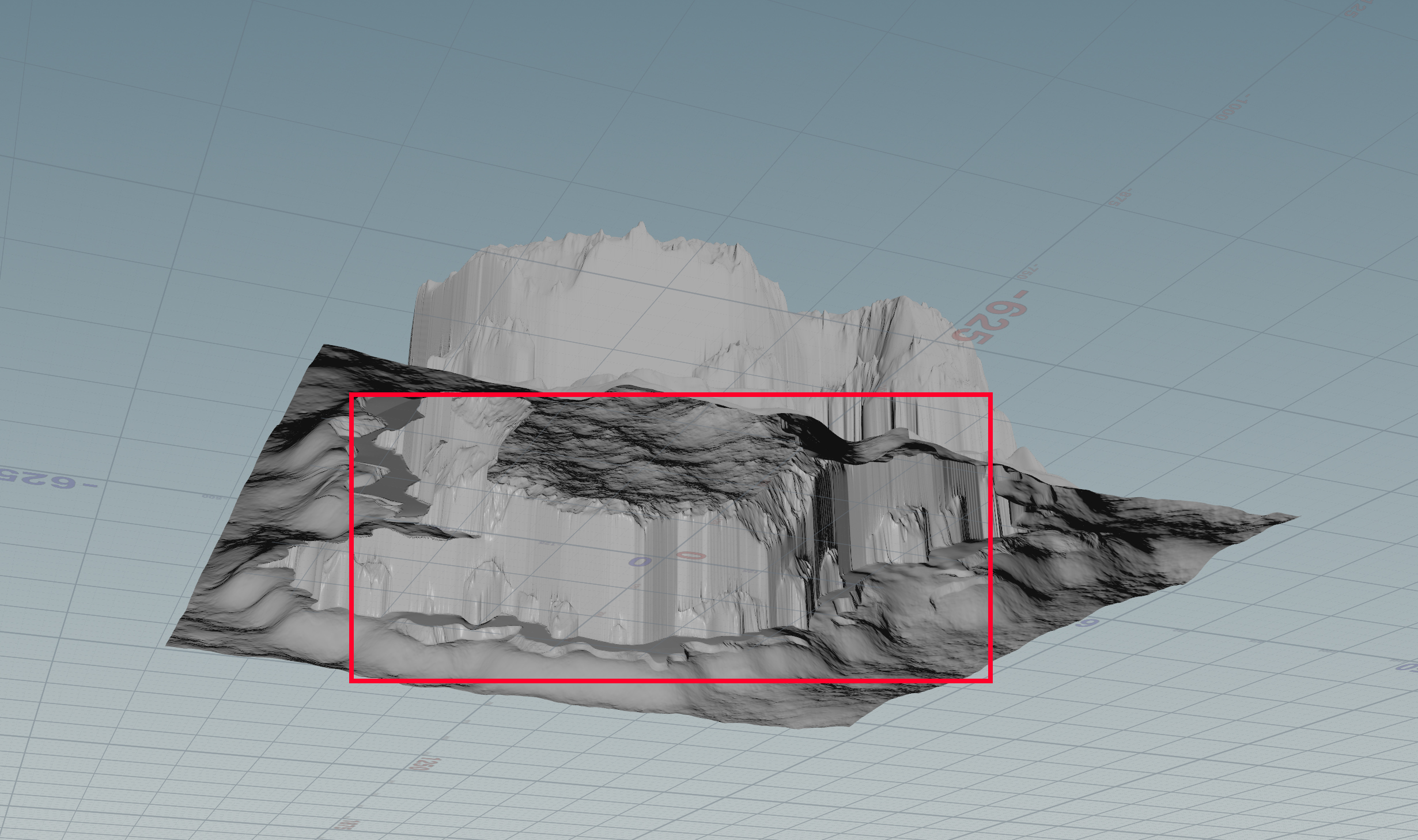
One characteristic quality of heightfields is that because they begin as flat planes, the y-axis is infinitely small. An example of this can be seen above. In order to properly achieve the best and fastest output this open area will need to be closed off. The means of achieving this will not be specifically discussed here, but can be found within the video playlist. The reason for this is so that this polygonal heightfield can later be converted in a volume.
Anyone who is new to the process likely finds themselves asking the inevitable question: "In what ways can a volume possibly be beneficial?" After continuing to follow the tutorial series, one will likely find themselves with messy tessellation or even open holes. The entire purpose for converting the base geometry into a volume is for proper re-tessellation of the geometry. This can thus fill-in any holes that may have resulted from previous steps. In the example given by the tutorial, there are two passes in which the geometry is first converted into a volume by the "vdbfrompolygons" node. After that, the volume is immediately transformed back into polygons via the "convertvdb" node. In the tutorial's example, this series of steps is repeated twice. This workflow has similar sightings to what is achieved within ZBrush. This is ultimately what constitutes as Houdini's form of ZBrush's own "Dynamesh." The main difference in this workflow is that one is not trying to achieve a particularly high polycount for ease of modeling. Instead, the "convertvdb" node acts like a more "simplified" form of ZBrush's own "ZRemesh." One common problem that results from this process is a lower amount of detail due to the geometry being remeshed. The restore this detail, there exists a procedure that is a common practiced among all digital programs that are used within the industry: projection.
Polygon Projection
Houdini's means of achieving this is by means of the "ray" SOP. This node has multiple uses outside of just projection, but this example uses it specifically as a means for projection. When one pulls up the node, they notice that it has two separate inputs that can be used. The left input is the source geometry whose details have been lost. In this example, the second input is designated to a previous output of the geometry that resulted before the mesh was converted into a volume. By default, the "ray" node is not set up for how it will be utilized in this example. Two properties need to be adjusted. The first of which being that the node needs to be told to run the process along "Primitives." One must ensure that this option is changed. The second option is the method in which the process will run. There are two options for this. In this example, the second option ("Minimum Distance") is the one that is to be selected. As long as everything has been followed up to this point, the projected mesh should show a very close similarity to the output of the pre-volume mesh.
Filecaching
At this point of the project, there are many different processes that are being run throughout the entirety of the network. In order to avoid needing to wait on Houdini to run the processes again from the start, this is instead the prime location where the "filecache" node that was discussed earlier is ideally used.
Conclusion
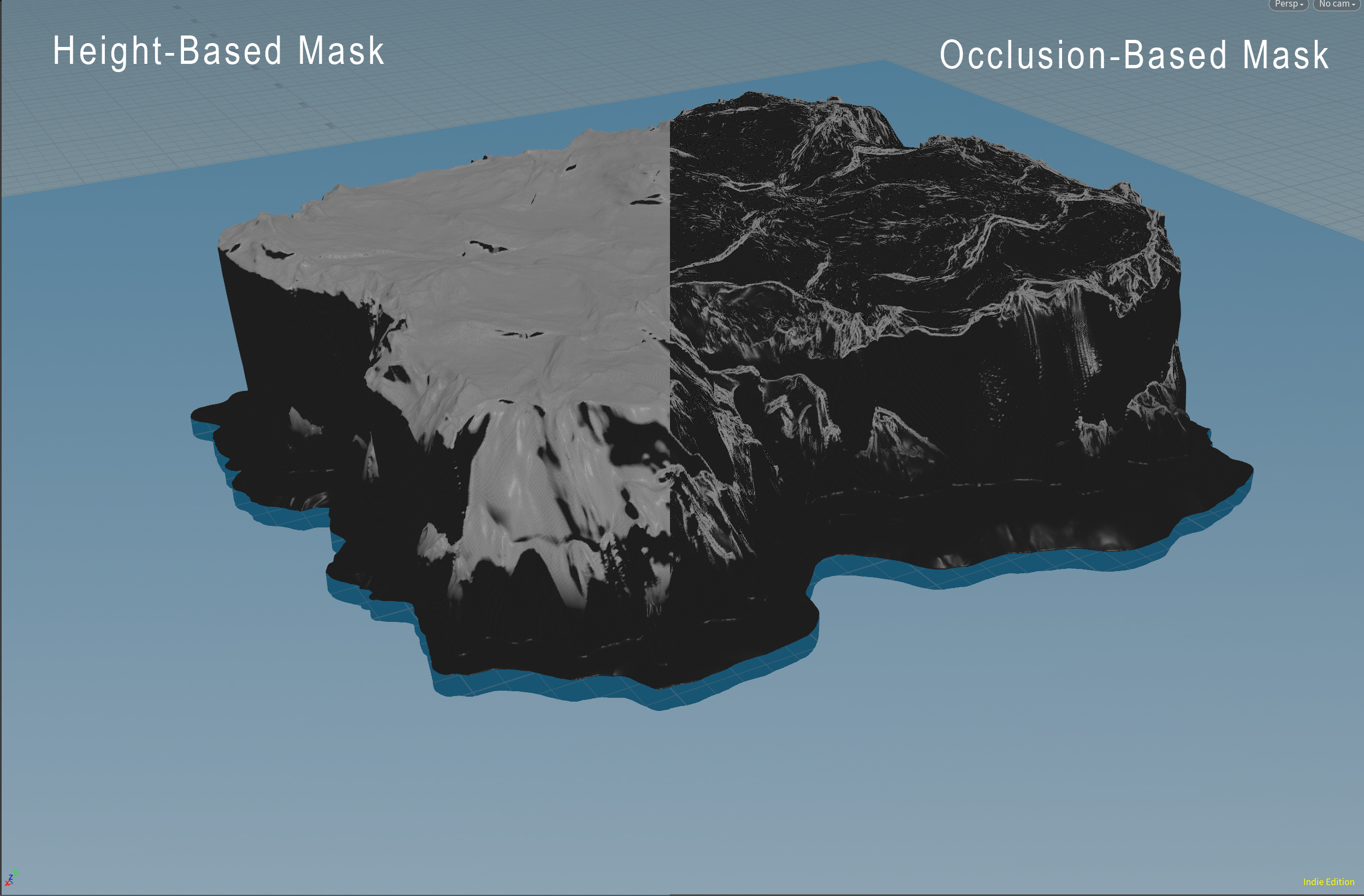
This is the point in which I have left the project in its current state. I have begun working on a Digital Asset within Houdini that produces the results seen below. There is still more that needs to be done to this HDA, but once it has been completed, it will yield results similar to what is achieved by the "heightfieldmaskbyfeature" node. The only difference here is that this HDA instead runs over geometry. This is the point at which the project will continue forward.
01:42 06/20/2020